
Mastering Manual Control in Blending
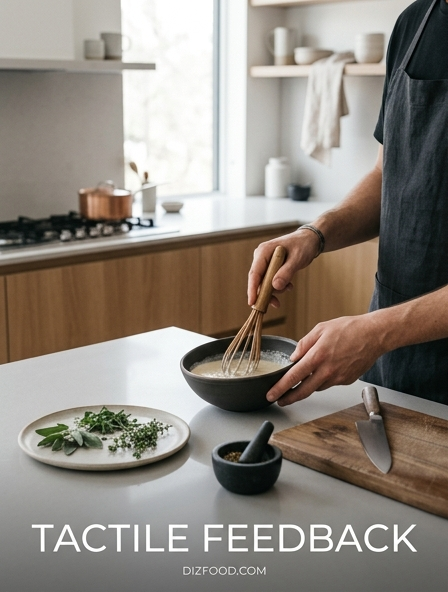
In the high-stakes environment of a professional kitchen, the ability to manipulate equipment with precision is paramount. Mastering manual control in blending starts with the physical connection between the chef and the machine. Unlike automated cycles that follow a rigid program, manual toggles and variable speed dials allow for real-time adjustments based on the evolving state of the ingredients. This tactile engagement enables a chef to feel the resistance of the blades and hear the subtle shifts in motor pitch, indicating when a purée has reached the desired silkiness.
- Variable speed control for gradual emulsification.
- Pulse functionality for precise ingredient breakdown.
- Physical resistance in dials to prevent accidental over-blending.
- Immediate mechanical engagement for instant power.
This level of control is essential for delicate tasks, such as creating foams or emulsifying heavy fats, where a few seconds of excess speed can ruin the texture. By relying on physical interfaces, users gain a deeper understanding of the blending process, transforming a mechanical task into a nuanced craft that prioritizes the chef's intuition over pre-set algorithms.
The Sensory Edge of Physical Switches
Physical switches provide a sensory edge that digital interfaces often lack, especially in a chaotic kitchen setting. The distinct "click" of a heavy-duty toggle switch or the haptic resistance of a rotating dial offers immediate confirmation of an action. This feedback loop is vital; it allows the operator to know exactly what state the machine is in without needing to glance away from the prep station. In an environment where every second counts, the ability to operate equipment through touch alone reduces cognitive load and increases focus on the culinary task at hand.
Furthermore, physical switches are inherently more intuitive for multi-sensory learners. The weight and throw of a lever provide a spatial understanding of power levels. When a chef flips a metal switch, the tactile vibration traveling through the hand serves as a secondary indicator of the motor's health and the consistency of the contents. This mechanical intimacy ensures that the equipment becomes an extension of the chef's own hands, facilitating a more organic and responsive cooking process that digital buttons simply cannot replicate.
Optimizing Kitchen Workflow with Tactile Response
Workflow optimization depends heavily on the seamless interaction between staff and machinery. Tactile response is a key component of this efficiency, as it minimizes the "recognition lag" associated with digital screens. In a busy service, a cook might have wet, gloved, or floured hands, which often render touchscreens unresponsive. Mechanical controls bypass this frustration, ensuring that the blender responds instantly to every command. This reliability allows for a rhythmic flow where the chef can move from prep to blending to plating without interruption.
| Feature | Tactile Benefit | Workflow Impact |
|---|---|---|
| Toggle Switch | Audible Click | Eyes-free operation |
| Weighted Dial | Physical Resistance | Precise speed adjustment |
| Mechanical Pulse | Spring-back Action | Rapid texture control |
By integrating tools that prioritize tactile feedback, kitchens can reduce the physical and mental hurdles that slow down production. The certainty provided by a mechanical interface means fewer errors, less waste, and a more streamlined path from raw ingredients to the final dish.
Why Mechanical Feedback Beats Digital Menus
Digital menus and capacitive touchscreens have become common in modern appliances, yet they often fail in the rigorous environment of a professional kitchen. The primary disadvantage of digital interfaces is their lack of physical feedback; a flat glass surface provides no confirmation that a command has been registered until the machine actually starts. This delay can lead to repeated presses or accidental settings. Mechanical feedback, however, provides an unmistakable physical response the moment a button is depressed or a switch is flipped.
In addition to the lack of haptic confirmation, digital menus often require navigating through multiple sub-layers to reach a desired setting. This complexity is counterproductive during a rush. A mechanical interface typically offers "one-touch" access to all vital functions. There are no software glitches to navigate, no brightness issues under heavy kitchen lighting, and no failure points caused by steam or humidity affecting a sensor. For the professional, the simplicity and directness of a mechanical switch beat the aesthetic appeal of a digital screen every time.
Enhancing Speed Through Tactile Precision
Speed in a kitchen is not just about moving fast; it is about moving accurately. Tactile precision allows for rapid adjustments that are grounded in physical certainty. When a blender features a high-torque motor controlled by a manual dial, the user can ramp up the speed with a single fluid motion. This is significantly faster than tapping a "plus" button on a screen ten times. The physical travel of the dial acts as a visual and tactile gauge, allowing the chef to "set and forget" or make micro-adjustments in an instant.
- Instantaneous start/stop reduces idle time.
- High-contrast physical markings aid in low-light settings.
- Ergonomic handles and grips improve leverage and stability.
- Robust construction allows for aggressive handling during peak hours.
When every motion is calculated to save seconds, the tactile nature of mechanical controls becomes a competitive advantage. It allows the kitchen staff to operate at the speed of thought, ensuring that the equipment never becomes a bottleneck in the production line, but rather a tool that keeps pace with the fastest workers.
The Role of Muscle Memory in High-Volume Service
High-volume service relies on the development of muscle memory, where repetitive tasks are performed with minimal conscious thought. Tactile feedback is the foundation upon which this muscle memory is built. Because physical controls have a consistent location, shape, and resistance, a chef can learn to operate a blender with total accuracy without looking at it. This "blind" operation is crucial when the chef needs to keep an eye on a searing pan or monitor a plating line while simultaneously finishing a sauce.
Over time, the hand learns exactly how far to turn a dial for a specific consistency or exactly how much pressure to apply to a pulse lever for a coarse chop. This level of automation in the human brain is only possible when the tool provides consistent physical cues. Digital interfaces, with their flat surfaces and changing screen layouts, disrupt this process. By utilizing mechanical interfaces, a kitchen team can reach a state of flow where the equipment reacts as an intuitive part of their body, drastically increasing output and consistency.
Safety and Control in Professional Blending
Safety in professional blending is inextricably linked to the immediacy of control. Mechanical switches provide a level of safety that software-based controls cannot match. In the event of an emergency-such as an ingredient causing a jam or a container not being seated correctly-the ability to physically kill the power with a tactile "off" switch is vital. There is no risk of the screen being unresponsive due to moisture or the software lagging during a critical moment. The physical disconnection of the circuit provides peace of mind and immediate results.
Control also extends to the stability of the unit. Tactile feedback through the base of the blender allows the operator to feel if the motor is straining or if the unit is vibrating excessively, which could indicate a mechanical issue. By being physically tuned into the machine's operation, the chef can intervene before a minor issue becomes a safety hazard or results in equipment failure. This proactive approach to safety is only possible when the interface allows for a two-way flow of information between the machine and the user.
Tactile Feedback and Texture Perfection
Achieving the perfect texture in culinary applications is a sensory-driven process. While recipes provide a framework, the final result often depends on the chef's ability to react to the ingredients in the container. Tactile feedback through the pulse switch and speed dial allows the chef to "feel" the blend. For instance, when making a chunky salsa or a textured pesto, the physical snap-back of a pulse lever gives the chef granular control over the blades' rotation, preventing the mixture from turning into an undesired purée.
- Fine-tuning emulsions by sensing motor resistance.
- Achieving consistent grain sizes in dry grinds.
- Maintaining structural integrity in delicate vegetable blends.
- Developing "signature" textures that require manual intervention.
The relationship between touch and texture is fundamental. When a chef can feel the vibration and resistance of the blend through the controls, they can make split-second decisions that result in a superior mouthfeel. This level of artisanal precision is what separates a standard blend from a masterpiece of culinary texture.
The Reliability of Mechanical Blender Interfaces
Reliability is the most critical factor for any piece of industrial kitchen equipment. Mechanical interfaces are celebrated for their durability and longevity. Unlike digital components, which are susceptible to heat damage, electrical surges, and moisture ingress behind the screen, mechanical switches are built to withstand the harshest conditions. A heavy-duty toggle switch can be cycled tens of thousands of times without failure. In a high-heat, high-moisture environment, the simplicity of a copper contact moving against a terminal is far more robust than a complex circuit board.
This reliability also simplifies maintenance. If a mechanical switch does eventually fail, it is usually a straightforward, modular replacement. In contrast, a failed touchscreen often requires the replacement of the entire control module or even the whole machine, leading to significant downtime. For a business that operates 18 hours a day, the ruggedness of tactile controls ensures that the kitchen remains operational, protecting the bottom line and ensuring that the staff always has the tools they need to perform.
Elevating Kitchen Efficiency via Instant Response
Efficiency in a commercial kitchen is often measured in seconds. Instant response from equipment is not a luxury; it is a requirement. Tactile controls provide a zero-latency interface that synchronizes perfectly with the fast-paced demands of a line cook. When a dial is turned, the motor responds at that exact microsecond. This eliminates the frustration of "waiting for the machine to catch up," a common issue with digital processors that require a boot-up time or have a slight delay in touch registration.
This instant feedback loop allows for a more aggressive and efficient use of time. Cooks can execute complex recipes with higher confidence, knowing that the machine will respond exactly as expected every time. By removing the guesswork and the lag associated with non-tactile interfaces, the kitchen can maintain a higher tempo. Ultimately, elevating efficiency through tactile response leads to faster table turns, higher food quality, and a less stressed kitchen crew, as the tools they use are as responsive and hardworking as they are.


Comments